Connect a Fujifilm camera over USB and re-render RAF files as JPEG. Set the recipe on the computer; color is processed in camera.通过 USB 连接富士相机,将 RAF 重新渲染为 JPEG。在电脑上设置配方,色彩由相机机内处理。
Free, source on GitHub · Tested on X-Pro3 · Windows and macOS · Independent, not affiliated with FUJIFILM免费,源码公开 · X-Pro3 实测 · Windows 和 macOS · 个人独立软件,与富士无关
截图为英文界面,软件可切换中文
Common situations使用场景
Not every setting can be decided while shooting拍摄现场,难以兼顾所有设置
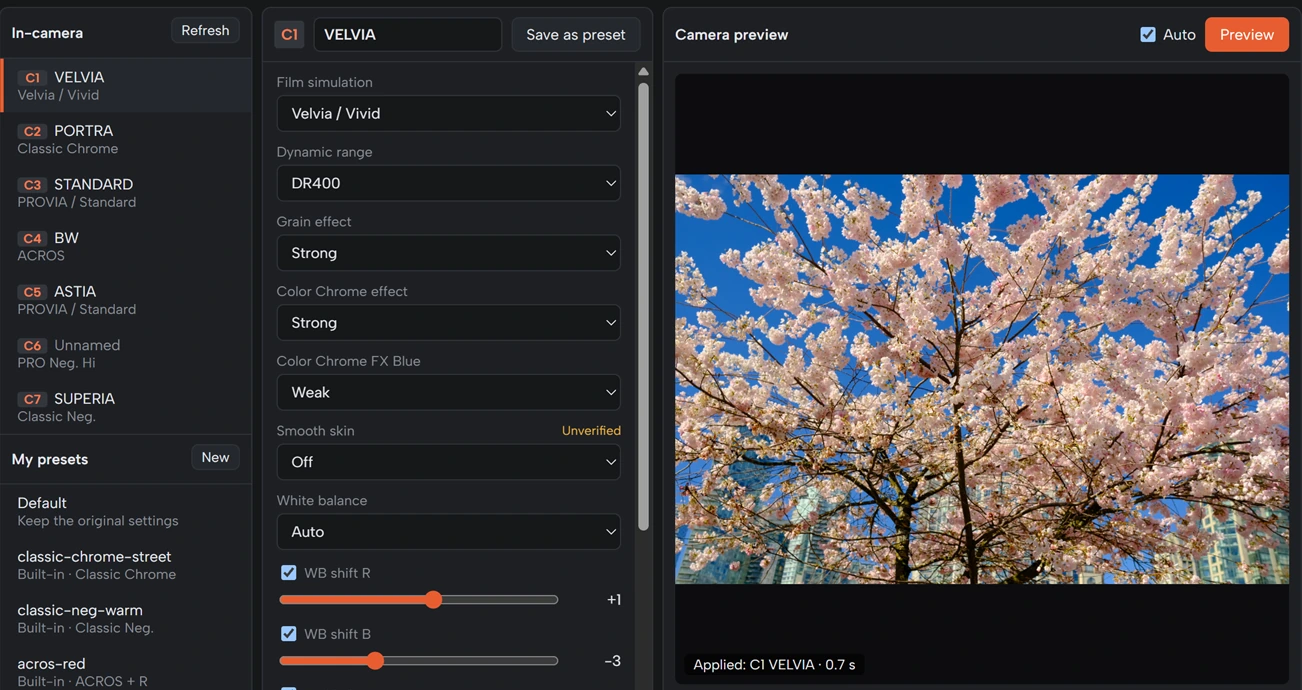
Adjust a setting and the camera renders a new preview. Measured on an X-Pro3: 0.5–0.7 s per preview of the same photo.调整参数后,相机重新渲染预览。X-Pro3 实测,同一张照片的预览用时 0.5–0.7 秒。
Classic ChromeOriginal原片Demo演示
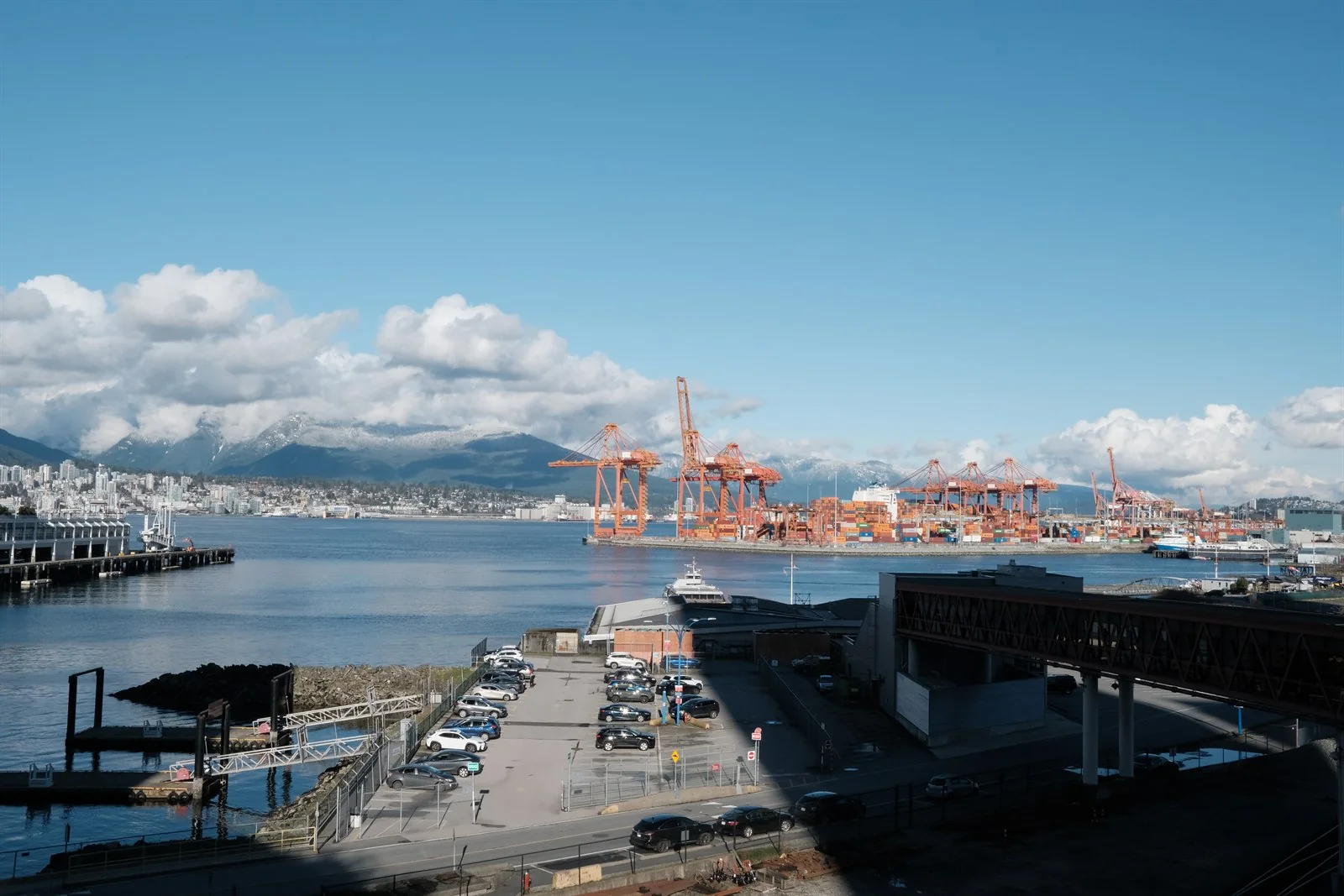
Demo. Photos rendered on an X-Pro3; this page only switches images.演示。照片由 X-Pro3 实际渲染,网页仅切换图片。
More adjustable settings更多可调参数
Adjust dynamic range, grain, Color Chrome, white balance, highlight, shadow, color, sharpness, noise reduction and clarity. Unchanged settings stay as shot.支持调整动态范围、颗粒、色彩效果、白平衡、高光、阴影、色彩、锐度、降噪和清晰度。未修改的参数保持拍摄时的值。
截图为英文界面,软件可切换中文
Hold to compare按住对比原片
Press and hold the preview to show the original; release to return.按住预览画面显示原片,松开后恢复。
Available settings vary by model可用参数取决于机型
Available film simulations depend on the camera model. Smooth skin and exposure compensation are not yet verified and are marked "Unverified" in the app.可选的胶片模拟取决于相机机型。美肤和曝光补偿尚未验证,软件中标注为「未验证」。
Beyond a single photo: a separate recipe for every photo in a set.单张调整之外,可为一组照片分别设置配方。
02Match it套得准
Every photo keeps its own recipe每张照片,独立保存配方
Batch-apply selected settings only; the rest remain unchanged.批量应用时可仅选择部分参数,未勾选的参数保持不变。
Tree on the left, thumbnails on the right左侧文件夹树,右侧缩略图
Switch folders, keep the selection切换文件夹,保留已选照片
Selections add up跨文件夹累加
Drag to select multiple photos拖动选择多张照片
Shift+click also supported支持 Shift 连续选择
With recipes in place, the batch is ready to render.配方设置完成后,可批量渲染。
03Render it出得快
Full size in 1–2 seconds全尺寸渲染,每张 1–2 秒
Measured on an X-Pro3 with RAF files around 26 MB, output 6240×4160.X-Pro3 实测,约 26MB 的 RAF,输出 6240×4160。
0.8s秒
Uploading RAW上传 RAW
+
0.6s秒
Rendering in camera相机渲染
+
0.5s秒
Downloading JPEG下载 JPEG
=
1.9s秒
Total per photo单张合计
One measured photo (26.3 MB, 2026-11-23, command-line tool on Windows). The 13 photos measured that day took 1.5–1.9 s each.单张实测数据(26.3MB,2026-11-23,Windows 命令行工具)。同日测试的 13 张用时 1.5–1.9 秒。
Done已完成3 / 3Remaining预计剩余0.0s秒
Uploading RAW上传 RAW
Applying recipe写入配方
Rendering in camera相机渲染中
Downloading JPEG下载 JPEG
Classic Neg.
Classic Chrome
ACROS + RACROS + 红滤镜
Demo at 1.9 s per photo. Results rendered on an X-Pro3.演示按每张 1.9 秒播放,照片由 X-Pro3 实际渲染
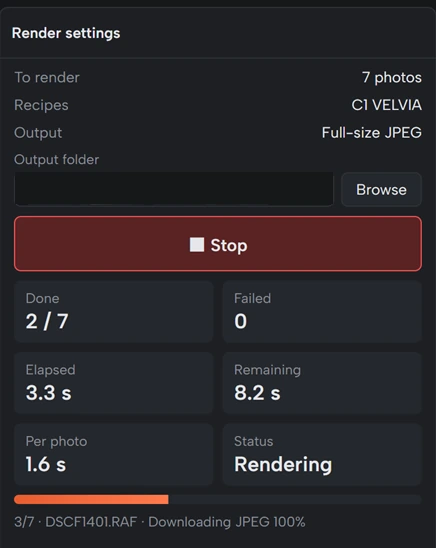
Progress, remaining time and average time per photo显示进度、预计剩余时间和平均用时截图为英文界面,软件可切换中文
Stop at any time随时停止
Photos already rendered are kept.渲染过程中可停止,已完成的照片保留。
Skipped photos reported跳过提示
Photos without a recipe or from another model are counted before rendering.渲染前显示未应用配方和其他机型照片的跳过数量。
Nothing overwritten不覆盖已有文件
RAF files are read-only; duplicate JPEG names are numbered.RAF 仅读取,重名 JPEG 自动编号。
A finished recipe can be saved to the camera for the next shoot.满意的配方,可写回相机用于后续拍摄。
ASCII only, max 25 characters仅限英文,最多 25 个字符
−2+4
Demo. No camera is affected.演示操作,不影响相机
04Keep it带得走
Save the recipe back to the camera完成的配方,写回相机
C1–C7 are read automatically on connection. Edit, confirm and save to the camera.连接后自动读取相机中的 C1–C7,修改并确认后保存到相机。
C1–C7 list, read on connectionC1–C7 列表,连接后自动读取Name, ASCII only名称,仅限英文Save to camera, with confirmation保存到相机,确认后写入
截图为英文界面,软件可切换中文
Backup before writing写入前备份
Before the first write after each launch, the original C1–C7 are backed up to the computer.每次启动软件后,首次写入前自动将原有 C1–C7 备份到电脑。
Verified after writing写入后校验
Settings are read back and checked; the number of rejected values is shown.写入后回读校验,并显示相机未接受的参数数量。
Save as preset另存为预设
In-camera settings can be saved to My presets.机内设置可另存到「我的预设」。
Current limitations当前限制
Undo is available only while the app is running撤销仅在软件运行期间有效
Backups cannot yet be restored from the interface备份文件暂不支持在界面中恢复
Names are ASCII only名称仅限英文
Exposure compensation cannot be stored in C1–C7曝光补偿无法存入 C1–C7
What the app reads and writes is listed below.以下说明软件的读写范围。
Originals are read-only. Writes require confirmation.原片仅读取,写入须确认
Not affected不受影响
RAF filesRAF 文件Read-only只读
RAF files are read-only; duplicate JPEG names are numbered.RAF 仅读取,重名 JPEG 自动编号。
Memory card存储卡Nothing is written; rendered images are deleted from the camera after transfer不写入,渲染结果传输后从相机中删除
Rendered results are deleted from the camera after transfer.渲染结果传输后从相机中删除。
Network网络The app does not go online; photos are not uploaded软件不联网,照片不上传
The app itself does not go online. On Windows, the installer downloads WebView2 once if it is missing.软件本身不联网。在 Windows 上安装时,如系统缺少 WebView2,将下载一次。
Camera settings相机设置Unchanged unless saved未保存时不修改
Rendering does not change camera settings.渲染操作不修改相机设置。
Written会写入
New JPEG files in the output folder输出文件夹中新增 JPEG
Duplicate JPEG names are numbered.重名 JPEG 自动编号。
Settings in C1–C7, after confirmation确认后写入 C1–C7 的设置
Settings are read back and checked; the number of rejected values is shown.写入后回读校验,并显示相机未接受的参数数量。
Camera settings are written only after confirmation, with an automatic backup first. Keep a separate record of important settings.相机设置须经确认后写入,写入前自动备份。重要设置建议另行记录。
Check camera compatibility检查相机兼容性
Basic requirements met满足基本条件
Not yet met:未满足:
Tested on the X-Pro3 (firmware 2.00) only. Other models are unverified.目前仅在 X-Pro3(固件 2.00)上实测,其他机型未经验证。
WindowsRun the installer, or use the portable version. The installer is not signed, so Windows may warn about an unknown publisher. Download only from the GitHub releases page.运行安装版,或使用免安装版。安装包未签名,Windows 可能提示「未知发布者」,请仅从 GitHub 发布页下载。
macOSOpen the .dmg and drag Fuji Studio to Applications. The Mac app is not notarized, so macOS blocks the first launch. Run this once in Terminal: xattr -cr "/Applications/Fuji Studio.app"打开 .dmg,将 Fuji Studio 拖入「应用程序」。macOS 版未经公证,首次打开会被系统拦截,需在终端运行一次:xattr -cr "/Applications/Fuji Studio.app"
MENU/OK → SET UP (wrench icon) → CONNECTION SETTING → PC CONNECTION MODE → USB RAW CONV./BACKUP RESTOREMENU/OK → 设置(扳手图标)→ 连接设置 → PC 连接模式 → USB RAW 转换/备份恢复
In the wrong mode, the app shows a five-step guide and detects the change automatically.连接模式不正确时,软件显示五步引导,切换后自动识别。
Choose RAF files on Select, set and apply recipes on Configure, then start on Render.在「选择」页选取 RAF,在「配置」页设置并应用配方,在「渲染」页开始渲染。
MENU/OK
SET UP (wrench icon)设置(扳手图标)
CONNECTION SETTING连接设置
PC CONNECTION MODEPC 连接模式
USB RAW CONV./BACKUP RESTOREUSB RAW 转换/备份恢复
Copy photos to the computer first. Use a USB data cable. No driver change required.照片需先复制到电脑;需使用支持数据传输的 USB 线;无需更换驱动。
FAQ常见问题
Tested on the X-Pro3 (firmware 2.00) only. A Fujifilm model with USB RAW conversion is required; other models are unverified and not guaranteed.目前仅在 X-Pro3(固件 2.00)上实测。需使用支持 USB RAW 转换的富士机型;其他机型未经验证,不保证可用。
No. The same model is required.不支持,需使用同型号机身。
Rendering does not change camera settings. Settings are written only after Save to camera is clicked and confirmed, with a backup first. Writing settings carries risk; make sure the backup was created.渲染操作不修改相机设置。仅在点击「保存到相机」并确认后写入,写入前自动备份。写入相机设置存在风险,请先确认备份已生成。
No. RAF files are read-only.不会,RAF 文件仅读取。
No. Rendered results are deleted from the camera after transfer.不会,渲染结果传输后从相机中删除。
The app itself does not go online. On Windows, the installer downloads WebView2 once if it is missing.软件本身不联网。在 Windows 上安装时,如系统缺少 WebView2,将下载一次。
No. Copy them to the computer first.不支持,需先复制到电脑。
Yes, for Macs with Apple silicon on macOS 11 or later, with the same features as on Windows. The Mac app is not notarized, so macOS blocks the first launch. Run this once in Terminal: xattr -cr "/Applications/Fuji Studio.app" If the Mac cannot open the camera, quit Photos and Image Capture, then reconnect the cable.支持,适用于 Apple 芯片的 Mac(macOS 11 或更高版本),功能与 Windows 版一致。macOS 版未经公证,首次打开会被系统拦截,需在终端运行一次:xattr -cr "/Applications/Fuji Studio.app" 在 macOS 上无法连接相机时,请退出「照片」和「图像捕捉」,再重新连接数据线。
No. X RAW STUDIO is Fujifilm's own software; Fuji Studio is an independent personal project using the same kind of camera feature.无关联。X RAW STUDIO 是富士官方软件;Fuji Studio 是个人开发的独立软件,使用同一类相机功能。
The installer is not code-signed.安装包未进行代码签名。
Photos are rendered in camera, but not every setting has been compared one by one, so an exact match is not guaranteed.照片由相机机内渲染;参数尚未逐一对照,因此不保证与机内直出完全一致。
Fuji Studio
Free. Always the latest release.免费,始终提供最新版本。
Windows10/11, 64-bit10/11,64 位Installer or portable安装版或免安装版
macOS11 or later, Apple silicon11 或更高版本,Apple 芯片.dmg